

 click image to preview
activate zoom



MOKiN 14-in-1 USB-C Laptop Docking Station

MOKiN 14-in-1 USB-C Laptop Docking Station
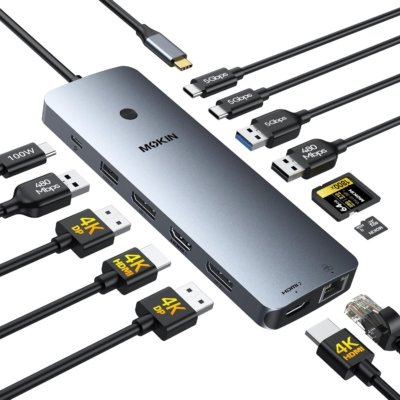
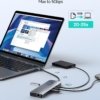
Modern laptops often rely on a limited number of built-in ports, especially when users connect multiple displays, external storage, networking equipment, and other peripherals. The MOKiN 14-in-1 USB-C Laptop Docking Station provides a centralized way to expand connectivity from a compatible USB-C laptop.
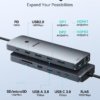
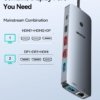
This docking station includes multiple connection options, including two HDMI ports, two DisplayPort outputs, USB ports, an RJ45 Ethernet port, SD and microSD card slots, and USB-C connectivity. It is designed to support Windows and macOS systems, although available display modes and functions can vary depending on the host device and operating system. (pricehistory.app)
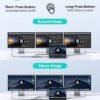
For users working with multiple displays or a range of peripherals, having several ports available from one docking station can help reduce the need for separate adapters. The combination of HDMI and DisplayPort outputs also gives compatible setups more flexibility when connecting external monitors.
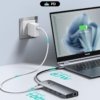
The dock supports USB-C power delivery, with product information listing up to 100W input for compatible devices. Actual power delivered to the connected laptop can vary depending on the dock, power adapter, cable, and host device. (pricehistory.app)
Why It May Be Useful
- Multiple ports in one device: Expands connectivity for compatible USB-C laptops.
- Multi-display connectivity: Includes HDMI and DisplayPort outputs for supported monitor configurations.
- Built-in Ethernet: Provides a wired networking option for compatible setups.
- SD and microSD card readers: Convenient for transferring files from compatible memory cards.
- USB connectivity: Allows users to connect peripherals such as keyboards, mice, storage devices, and other accessories.
- Workspace expansion: Can help simplify a laptop-based desktop setup by bringing several connections together.
Who It May Be Suitable For
The MOKiN docking station may be useful for laptop users who regularly work with external monitors, wired networking, USB peripherals, or memory cards and want to consolidate those connections through a single USB-C dock.
Compatibility note: Available ports, display resolution, charging, and multi-monitor functionality depend on the laptop model, operating system, connected peripherals, cables, and supported protocols. Check your device specifications before purchasing.
Category: Electronics & Accessories

MOKiN 14-in-1 USB-C Laptop Docking Station
Similar Products

BUYWISEDAILY - Smart Buying, Made Simple